
Download Citron – Nintendo Switch Emulator, PC Gaming, Emulation Tool
Overview
Citron is a specialized Nintendo Switch emulator designed for Windows, built upon the foundational Yuzu codebase. It is engineered to deliver a seamless gaming experience on PC by enabling users to run Switch titles without the need for original hardware. The app serves as a bridge between console gaming and desktop performance, allowing enthusiasts to access a vast library of games with enhanced visual fidelity and customizable settings. Its primary purpose is to provide a reliable, accessible, and up-to-date platform for gamers who wish to play Switch games on their computers, particularly those with limited access to physical consoles.
The target audience includes PC gamers, retro enthusiasts, and users seeking flexibility in their gaming setup. Whether for convenience, performance improvements, or accessibility, Citron caters to those who value customization and compatibility. It is especially beneficial for individuals with mid-range or high-end systems who want to enjoy modern titles at higher frame rates and resolutions. The emulator’s ongoing development ensures it remains relevant in the evolving landscape of PC gaming and emulation.
While the developer’s background is not detailed in the provided information, Citron’s foundation in the Yuzu project suggests a community-driven, technically proficient origin. Its real-world applications include playing games like *The Legend of Zelda: Breath of the Wild*, *Super Mario Odyssey*, and *Animal Crossing: New Horizons* with improved settings. In the broader app ecosystem, Citron occupies a niche but vital space as a high-performance emulator, supporting digital preservation and expanding access to console-exclusive content.
Key Features & Functionality
- Accessibility with Low Minimum Requirements: Citron is designed to run on systems with an Intel Core i5-8600K and NVIDIA GeForce GTX 1060 for demanding titles. However, less intensive games can operate smoothly on mid-range hardware such as an Intel Core i3-6100 and NVIDIA GeForce GT 1030, making it approachable for a wide range of users.
- Streamlined Setup Process: The emulator features a quick and intuitive installation flow. Users can complete setup—including decryption keys and firmware configuration—in approximately five minutes, supported by built-in tutorials and community resources.
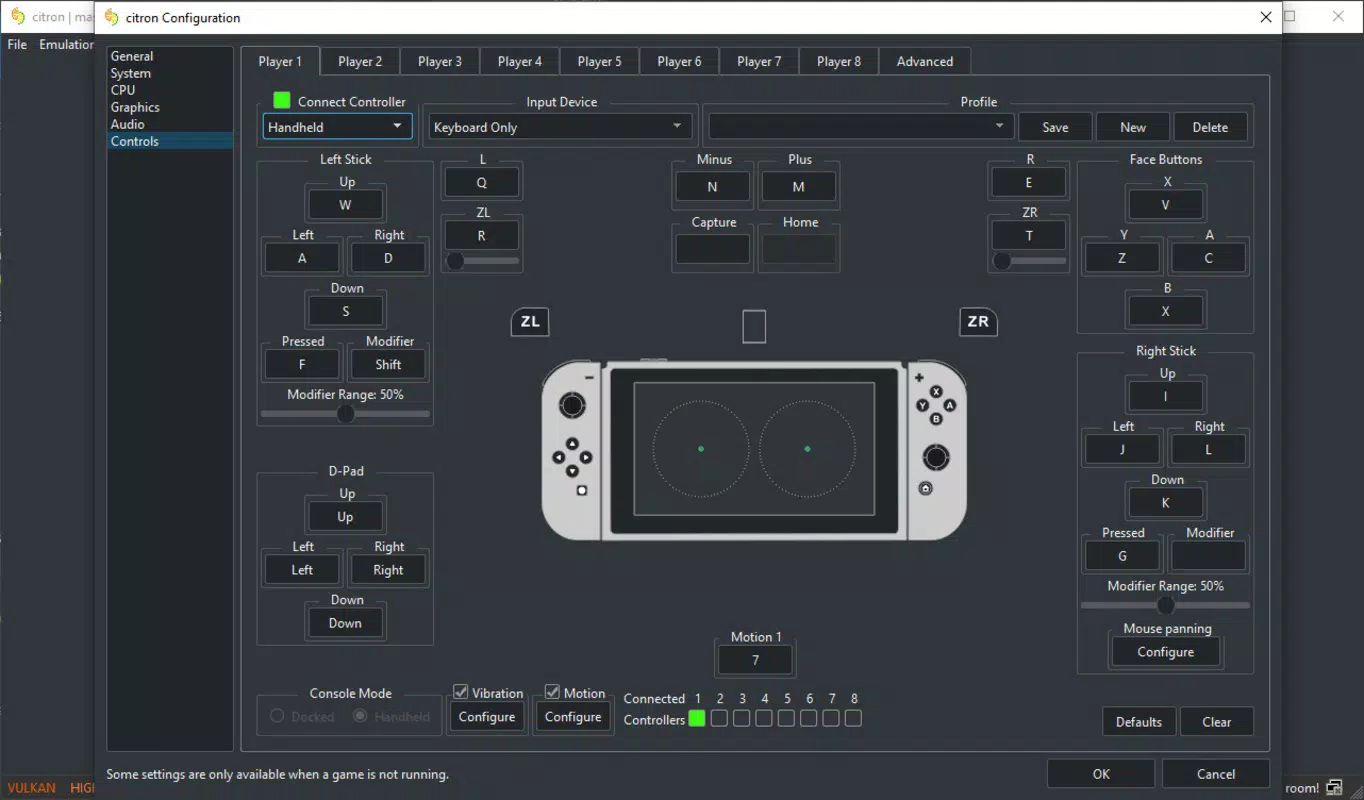
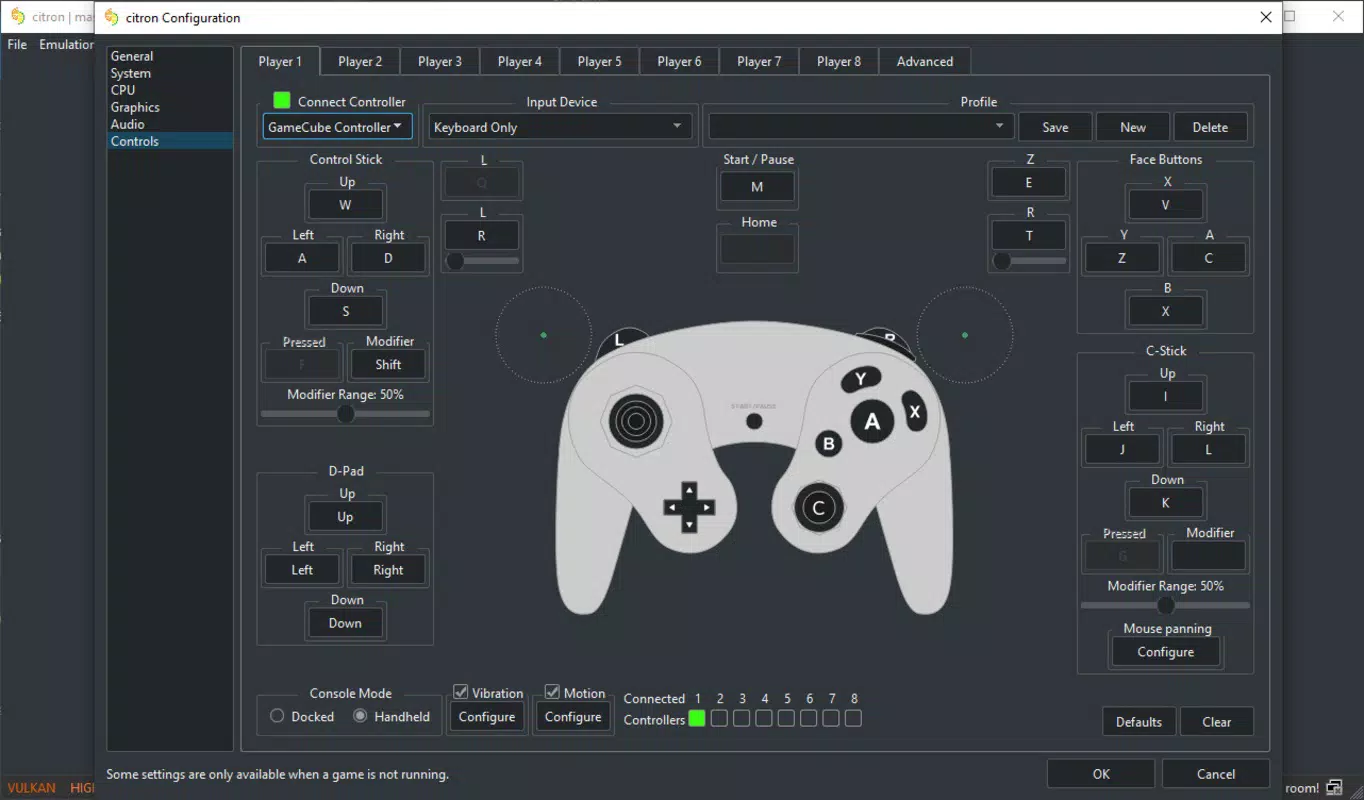
- Flexible Control Customization: Citron supports a variety of input devices, including PC keyboards, standard controllers, Joycons in multiple configurations, and GameCube controllers. This adaptability allows players to tailor their control scheme to personal preference and playstyle.
- High Game Compatibility: With over 1500 games on its compatibility list, Citron covers more than 85% of the Nintendo Switch catalog. Over 60% of popular titles run flawlessly, delivering smooth 60 FPS performance and enhanced resolution.
- Active Development and Regular Updates: The emulator is consistently updated with performance improvements, bug fixes, and expanded compatibility. This commitment ensures users can access new features and play newly released titles as support evolves.
These features translate into tangible benefits: users can enjoy long-running games with better visuals, customize their experience for comfort, and access a broad selection of content without hardware limitations. For example, a player using a mid-tier PC can run *Stardew Valley* at 1080p with stable frame rates, while a high-end system can tackle *Elden Ring* with high settings.
Interface, UX & Performance
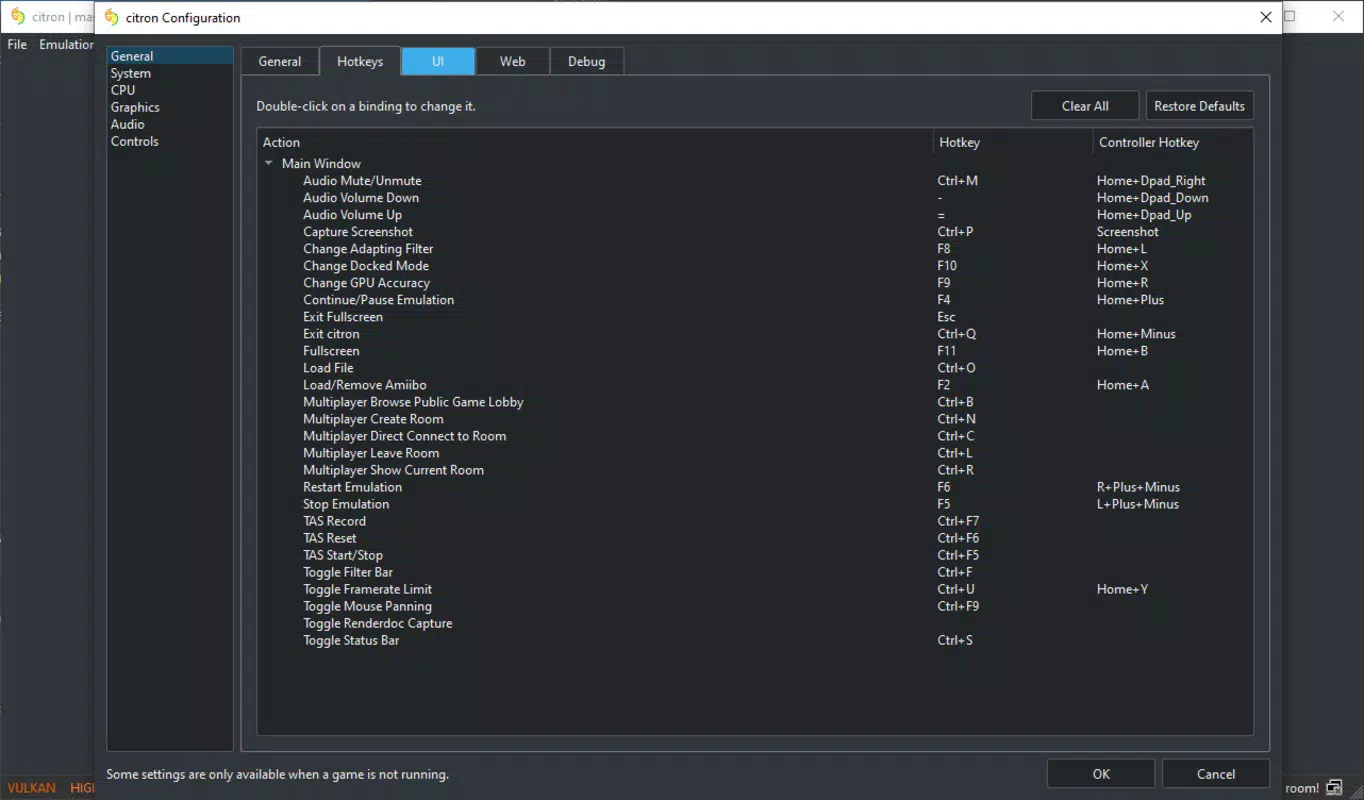
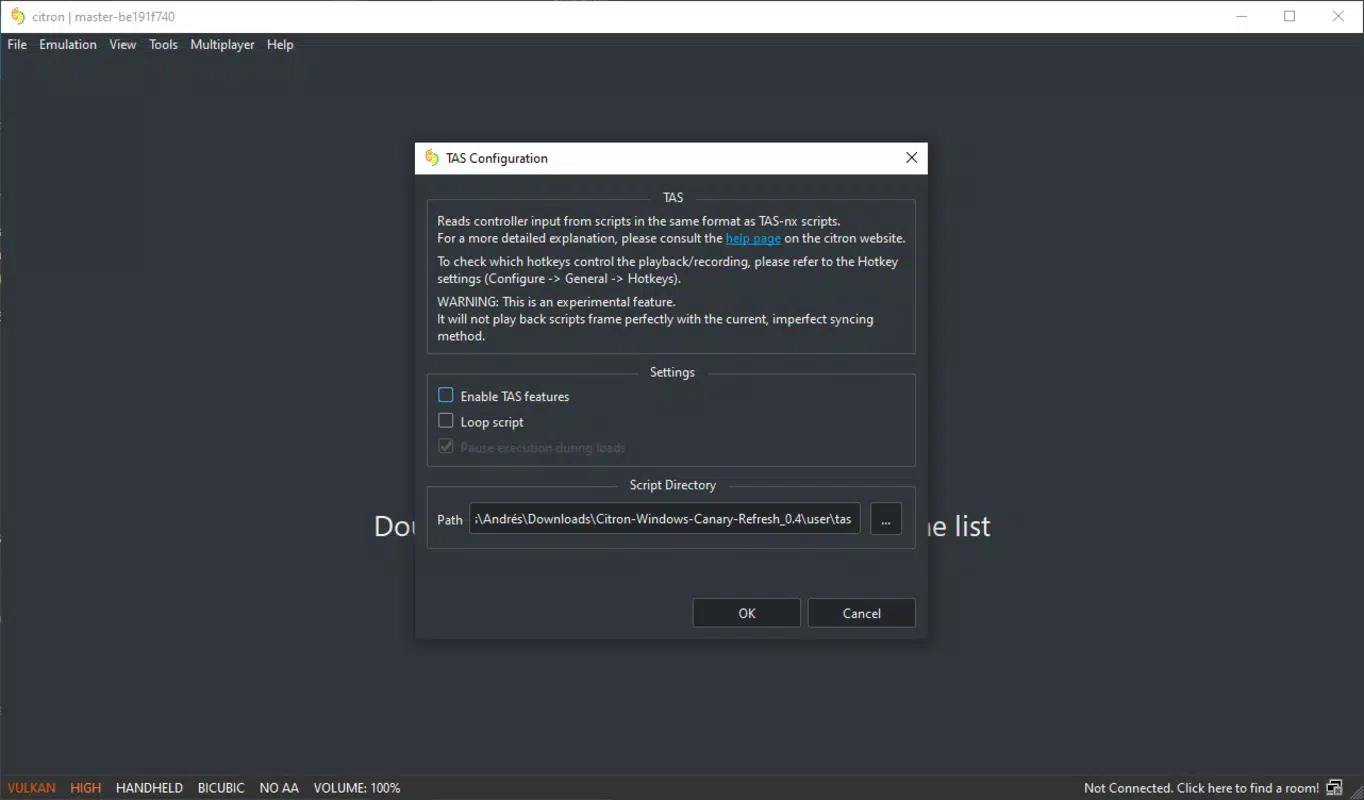
Citron features a clean, functional interface designed for both novice and experienced users. The layout prioritizes accessibility, organizing key functions such as game loading, settings, and controller configuration in clearly labeled menus. Visual elements are minimal yet effective, emphasizing usability over aesthetic flair, which aligns with the app’s technical focus.
Navigating through the emulator is intuitive, with logical menu hierarchies and responsive controls. The setup wizard guides users through initial configuration steps, reducing the learning curve. While the developer did not list formal performance metrics, the app is reported to deliver stable performance across a range of games, particularly on systems meeting or exceeding recommended specifications.
Responsiveness is generally strong, with minimal lag during menu transitions and game loading. Stability appears consistent, though users are advised to keep their system drivers and emulator version updated to prevent potential crashes. The app performs well on mid-range and high-end Windows systems, though performance on lower-end hardware may vary depending on game demands.
Although the developer did not specify minimum OS requirements, Citron is confirmed to run on Windows platforms. The user experience is optimized for desktop environments, with support for external monitors and multi-monitor setups. Overall, the interface balances functionality with simplicity, making it suitable for both casual users and advanced gamers.
Platform Compatibility & Technical Requirements
Citron is designed exclusively for Windows operating systems. The app requires a compatible PC with a minimum of an Intel Core i5-8600K processor and an NVIDIA GeForce GTX 1060 GPU for optimal performance with demanding titles. For less intensive games, a system with an Intel Core i3-6100 and NVIDIA GeForce GT 1030 is sufficient.
The file size of the application is not specified in the provided information. However, given its nature as a full-featured emulator with support for decryption and firmware integration, it is expected to occupy a moderate to large amount of disk space. The software version is currently listed as the latest available as of the release date, and users are encouraged to update regularly to maintain compatibility and performance.
The developer did not specify minimum OS requirements or compatibility with older Windows versions. It is recommended to use a current Windows 10 or Windows 11 system for the best experience. Compatibility with future Windows updates has not been disclosed.
Pros and Cons
Pros
- High compatibility with over 1500 Nintendo Switch titles
- Supports both high-end and mid-range PC hardware
- Quick and user-friendly setup process
- Extensive customization for control schemes and display settings
- Regular updates and active development
Cons
- Requires technical setup steps such as firmware and decryption key installation
- Performance may vary on lower-end systems
- Not available for mobile platforms or consoles
- Developer did not disclose minimum OS requirements
- File size and storage needs are not specified
FAQ
Is Citron safe to download and use?
Citron is a legitimate emulator developed on the Yuzu codebase. However, users must ensure they obtain the software from trusted sources to avoid malware. Always verify the authenticity of the download link.
Can I play Nintendo Switch games on my PC using Citron?
Yes, Citron allows users to run Nintendo Switch games on Windows PCs, provided they have the appropriate game files and firmware. The emulator supports a wide range of titles with varying levels of compatibility.
Do I need a Nintendo Switch to use Citron?
No, Citron is a standalone emulator. However, users must legally own the game files and comply with copyright laws. The emulator does not require physical Switch hardware.
Is Citron updated regularly?
Yes, Citron receives ongoing updates to improve compatibility, fix bugs, and enhance performance. Users are encouraged to keep the emulator up to date for the best experience.
What are the system requirements for Citron?
Citron requires at least an Intel Core i5-8600K and NVIDIA GeForce GTX 1060 for demanding games. For lighter titles, a system with an Intel Core i3-6100 and NVIDIA GeForce GT 1030 is sufficient. Specific OS requirements were not listed.
Final Thoughts
Citron stands out as a powerful and accessible Nintendo Switch emulator for Windows users. Its combination of broad game compatibility, customizable controls, and regular development makes it a top-tier choice for PC gamers seeking console-quality experiences. While it demands a certain level of technical understanding for setup, the streamlined process and community support help ease the transition.
It is ideal for users with mid-range to high-end PCs who value performance, flexibility, and long-term usability. The emulator’s ability to run popular titles at 60 FPS and improved resolution offers a compelling value proposition for both casual and dedicated players.
With its active development and strong community backing, Citron continues to evolve as a leading tool in the emulation space. For anyone looking to expand their gaming library on PC, Citron delivers a robust, future-ready solution.
Download Citron now


